Table of Contents
- Automatic Contact Creation
- Automatic Contact Creation Rules
- Match company domain SID (with contact creation)
- Match company domain SID (without contact creation)
- Match company domain SID and email domain (with contact creation)
- Match company domain SID and email domain (without contact creation)
- Match company domain SID for sign in, match company SID and email domain for contact creation
- Edge Cases
- Automatic Contact Creation Rules
Automatic Contact Creation
 Updated
by Niamh Ferns
Updated
by Niamh Ferns
- Automatic Contact Creation
- Automatic Contact Creation Rules
- Match company domain SID (with contact creation)
- Match company domain SID (without contact creation)
- Match company domain SID and email domain (with contact creation)
- Match company domain SID and email domain (without contact creation)
- Match company domain SID for sign in, match company SID and email domain for contact creation
- Edge Cases
- Automatic Contact Creation Rules
Automatic Contact Creation
System > Authentication > Contact Auto Creation.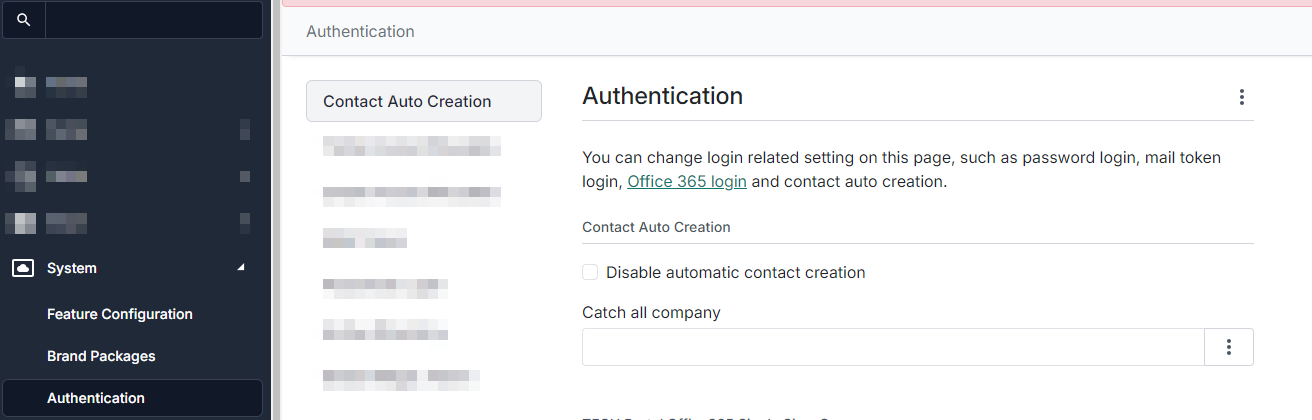
To aid in onboarding and provide a smoother experience for DeskDirector end users, we have a system for automatically creating contacts on first login based on some pre-configured rules and criteria. To automatically create a contact, DeskDirector needs to first figure out which company the contact should be created under. We will use 1 of 2 methods for checking this:
Automatic Contact Creation Rules
System > Authentication > Active Directory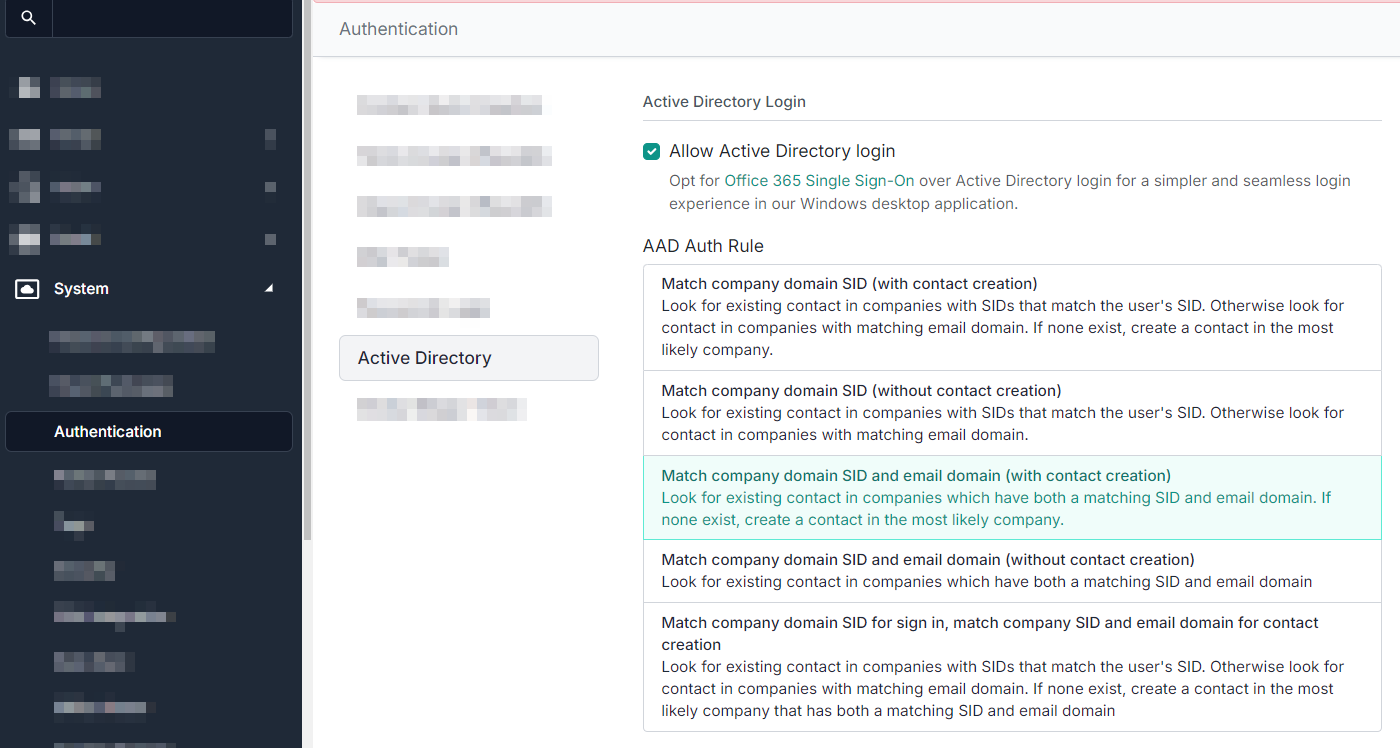
Match company domain SID (with contact creation)
Sign-in and creation both use Active Directory as the primary deciding factor. When signing in, if there are multiple contacts with the same email address, Active Directory will be used to find the contact with a matching company, then the most related contact will be used as the authorised user.
If a user does not exist, DeskDirector will create a contact under the company in DeskDirector with the appropriate SID set. If multiple companies match the SID, then we will find the most relevant one by using an email domain match.
Match company domain SID (without contact creation)
Sign-in will use Active Directory as the primary deciding factor, but will not create a contact if one doesn't already exist. When signing in, if there are multiple contacts with the same email address, Active Directory will be used to find the contact with a matching company, and then the most related contact will be used as the authorised user.
Match company domain SID and email domain (with contact creation)
DeskDirector will look for existing contacts with a matching SID and email domain. If one can't be found, a contact will be created in the most likely company. A contact's company that matches both SID and Email Domain is preferred over others.
If there no companies that match both the domain SID and email domain can be found (i.e. only one or none can be satisfied), a contact will not be created. When there are multiple contacts with the same email address on login, our system will rank each contact and select the highest rank for which contact to use.
Match company domain SID and email domain (without contact creation)
DeskDirector will look for existing contacts with a matching SID and email domain. If one can't be found, a contact will be created in the most likely company. A contact's company that matches both SID and Email Domain is preferred over others. If matching against a contact fails, a contact with not be created.
If there no companies that match both the domain SID and email domain can be found (i.e. only one or none can be satisfied), a contact will not be created. When there are multiple contacts with the same email address on login, our system will rank each contact and select the highest rank for which contact to use.
Match company domain SID for sign in, match company SID and email domain for contact creation
This will check for a company with a matching SID. If a contact exists under that company, the user will be logged in. If no contact exists, then DeskDirector will use both the SID and Email Domain for contact creation.
Edge Cases
Normally, Active Directory or an email domain is enough to easily identify the company, but there are scenarios where this alone isn't sufficient.
- Multiple companies in DeskDirector share the same account Active Directory SID
- Companies without an email domain (e.g. contacts using a generic
@hotmail.comdomain) - Multiple company branches
Some limitations and restrictions make it hard to achieve branch isolation within Autotask and ConnectWise. One recommended practice is to create different companies for each branch under a parent company. In this scenario, those branch companies share the same account security identifier and email domain. To be able to cover those scenarios, DeskDirector provided several rule sets to decide what to do when automatically generating a contact.
This is a special scenario; for this case, we can use Custom SIDs.